
Smart rooms.Simpler installation.

Lighting, curtains and climate, coordinated around your rooms and prepared for your local installer.

Compare configurations

Experience the space.

Discover the products behind the experience.
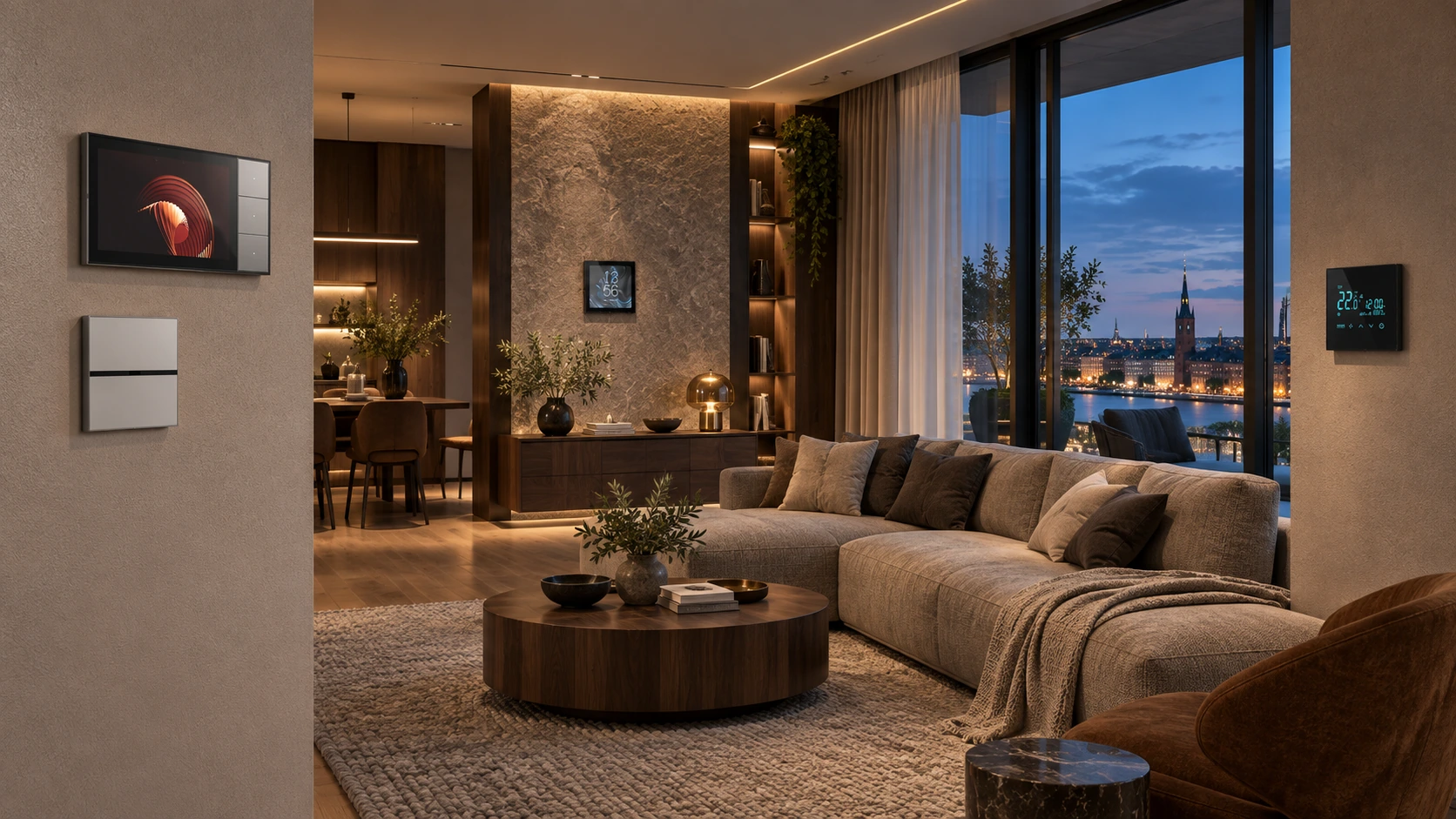
Illustrative apartment living room with installed scene switch, central control screen, HVAC panel and B8 controller
Apartments & villasApplication concept

Explore a welcoming lighting mood. Selected lighting, curtain and climate actions can be grouped in the agreed configuration.

Illustrative application scene. Product configuration, functions and final appearance depend on the selected models.

Less site complexity

Room labels and preconfiguration help your installer start with a defined plan.

Familiar wall control

Everyday scenes at the wall, with a central screen available as an option.

A route for your building

Use wired, wireless or mixed connections where the selected devices support them.

One familiar action.A room ready for living.

A home should feel easier to use after it becomes smart.

When lighting, curtains and temperature use separate controls, residents repeat the same adjustments each day. An app-only approach can also leave guests unsure how to operate the room.

Build the interface around recognisable moments: arrive home, relax, go to sleep or get up at night. A selected wall scene key can call the agreed actions together, while a central screen gives access to more detailed settings.

Product-family illustration based on supplied material. Finish and functions depend on the selected series.

Control where people need it

Place direct room controls at entrances and bedsides. A central screen is an option, not a requirement for every room.

Define each scene

Specify which lighting groups, curtain actions and HVAC settings belong in each scene. Keep essential circuits outside an all-off action.

Choose the lighting level

Separate basic on/off control from dimming and colour-temperature requirements so the hardware matches the actual lamps and drivers.

A room-by-room control schedule gives the resident a simpler interface and the installer a clearer brief.

Less work on sitestarts with the right system.

Choose the communication route after checking the building.

For a European project, “wireless” alone does not answer the installer’s questions about wall boxes, neutral conductors, lighting loads or local control.

S-Bus LoRa is a route where additional communication cabling is restricted. S-Bus 485 suits projects where a bus can be planned. Selected mixed configurations can serve areas with different wiring conditions without treating every series as interchangeable.

Wireless control concept. Consult the original architecture for series-specific connections.
Room-control concept, not a wiring drawing. Refer to the original series architecture.

Wireless communication

Select the compatible LoRa devices and gateway. Check power, load wiring and actual coverage separately.

Wired or mixed control

Agree the bus route, control points and matching interfaces. Use a mixed approach only with supported products.

Europe-specific fit review

Provide destination country, wall-box dimensions and depth, neutral availability, lamp drivers and HVAC interfaces. Confirm model-specific documentation with the quotation.

The practical promise is simpler planned installation, with the electrical work and commissioning scope made explicit.

Prepared before shipment.Supported through handover.

A preconfigured package still needs a well-defined local installation.

Late circuit changes, unlabelled devices and untested lamp drivers can move too much configuration work onto the installer at the end of a project.

Start with the floor plan, room functions and local team’s capabilities. Discuss labelled devices, factory settings and test scope before shipment, then select remote commissioning and training or separately agreed on-site engineering support.

Illustrative control-planning view. Exact positions and quantities come from the approved project schedule.

Prepare the package

Agree room labels, device identification, the equipment schedule and installation information. Define what will be configured before dispatch.

Prove a sample area

Verify one room or lighting circuit, especially for dimming, curtain motors and third-party HVAC. Resolve behaviour before repeating the design.

Choose the support route

Factory preconfiguration, remote training, on-site engineering or a local installer partnership can be discussed around the project. Availability and responsibilities are agreed in writing.

Your next step: send the country, floor plan, required functions and local installer’s scope.

Solution image detail

Start with how you want to install.

Choose the scope first. We help define the equipment, installation and handover.

01

Wireless communication

Reduce additional communication cabling with the selected S-Bus LoRa devices.

Power, neutral availability and load wiring still need an installer check.
02

Wired control

Plan S-Bus 485 with the room circuits while communication cabling is accessible.

Agree bus routes, addresses and load interfaces before installation.
03

Mixed installation

Combine compatible wired and wireless areas in one planned configuration.

Supported interfaces depend on the selected series and gateway.

Make it work
for your market.

For European projects, start with the installation and installer. Keep the customer experience simple.

Fit the installation

Country, wall-box dimensions and depth, supply and neutral availability. Wireless devices still require their specified power and load connections.

Match the equipment

Lighting drivers, dimming method, curtain motor and HVAC interface. Agree compatible models before preconfiguration.

Make handover simple

Room labels, circuit schedule, local controls and commissioning scope. Test a sample area with your installer before rollout.

Technical questions & scope

Is this a plug-and-play installation?

The closest practical route is an agreed factory-preconfigured package: labelled devices, selected settings and installation information, followed by local electrical installation and final commissioning. It is not a promise that mains switches can be installed without an electrician.

Will it fit European switches and lighting?

Share the target country, wall-box dimensions, neutral availability, lamp and driver models. Fit, dimming and electrical documentation are checked for the proposed hardware; there is no single fit or compatibility promise for all European homes.

Can local controls work without internet?

The supplied SK-Pad material describes local control when the internet connection is unavailable but the local router/network remains working. Confirm this behavior for the selected devices; remote and voice services have separate requirements.

Wireless describes communication, not power-free installation. Electrical connections, load compatibility and final commissioning must be checked. No universal plug-and-play or European wall-box fit is implied.

Catalogues & manuals ↗
01

Prepare

Share a floor plan, country and the functions you need.

02

Prove

Agree the equipment and verify one room or sample area.

03

Deliver

Choose preconfiguration, installer training and commissioning support.

Start with one
well-planned space.

Send your country, floor plan and required functions. We will help define the next step.

Plan my smart home project