
One building.Clearer access.

Connect entrance calling, resident answering and property access around a defined building plan.

Compare configurations

Experience the space.

Discover the products behind the experience.
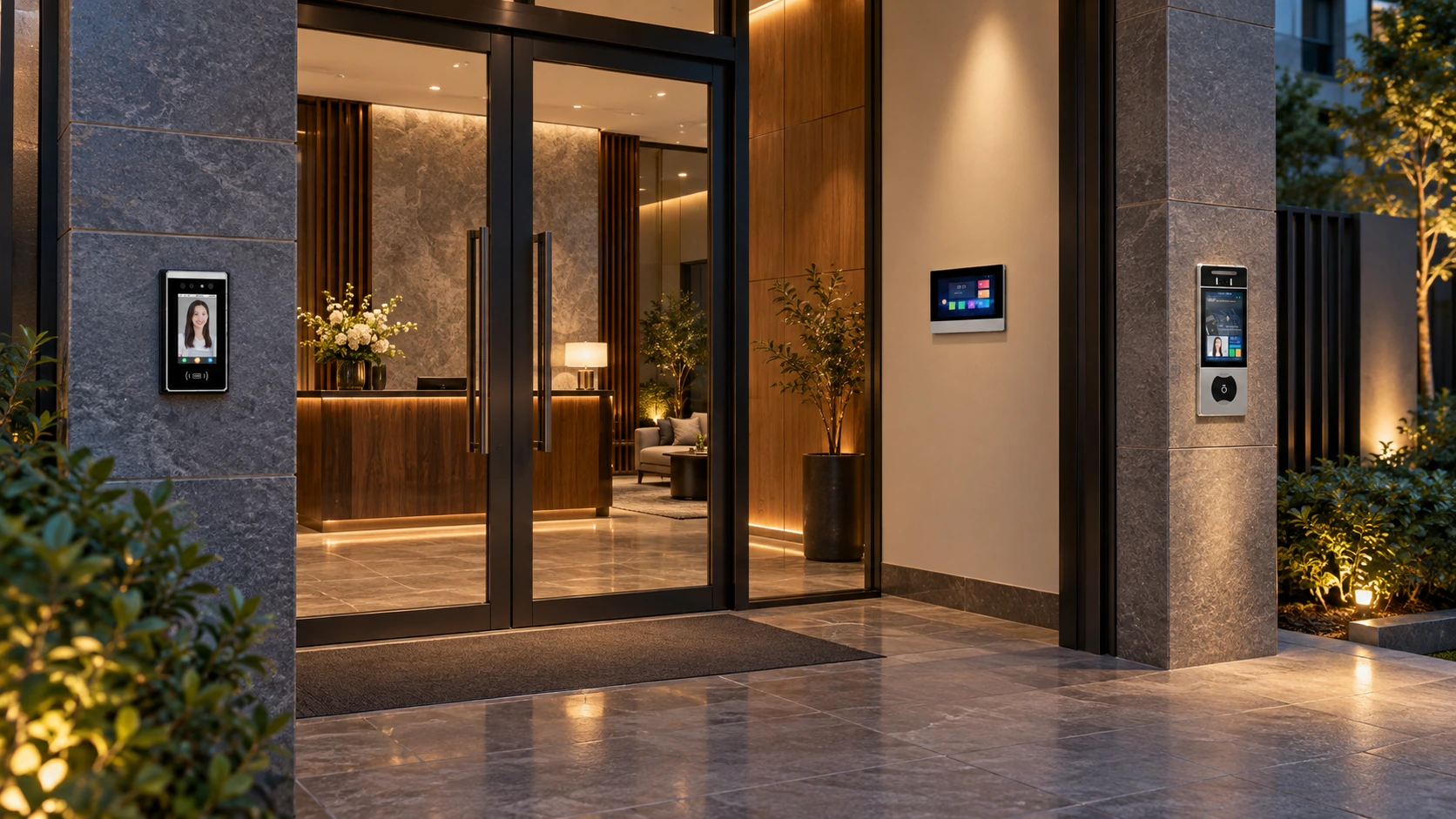
Illustrative building entrance with two separately located door station options and an indoor answering monitor
Apartments & multi-unit developmentsApplication concept

Explore the main entrance station and the separate resident answering area.

Illustrative application scene. Product configuration, functions and final appearance depend on the selected models.

A clear visitor journey

Follow a call from the main entrance to the right apartment.

Plan by entrance

Coordinate stations and resident terminals with the building layout.

A manageable handover

Define device records, permissions and software ownership early.

A clear entrance experience.For the whole building.

Start with the people and entrances, then choose the equipment.

Multiple entrances, apartments and user groups create more decisions than a single doorbell. Incomplete entrance and dwelling schedules can leave calling, permissions and management expectations unresolved.

Define the visitor path at each entrance and the resident answering points. Use the building schedule to select stations and terminals, then agree which administration, mobile or optional access functions belong in the project.

Product-family illustration. Device appearance alone does not establish interoperability.

Map the entrances

Separate main, secondary and shared access areas. Define calling and access requirements for each.

Plan resident answering

Specify the apartments, monitor positions and any additional terminals before confirming system capacity.

Define management roles

Agree who provisions users, changes permissions and owns the software accounts. Additional elevator or cloud functions need a defined scope.

5-inch RT Digital Door Station With Touch Screen7 Inch Display Digital Indoor Monitor With Touch Screen

An entrance-and-apartment schedule creates a shared brief for the developer, installer and property team.

Plan the networkas part of the access system.

An Ethernet connection is only one part of a working configuration.

A network socket does not prove that a station, monitor and management platform share the same protocol or firmware requirements. Remote services also introduce connectivity and account decisions.

The source building solution describes TCP/IP links between entrance stations, resident terminals and management or mobile services. Translate that overview into a device list, network topology and power design for the actual site.

System-role illustration. Exact network, software and service requirements are specified separately.

Network and power

Review Ethernet/fibre routes, switching equipment and device power. Assign network administration responsibilities.

Compatibility

Confirm station, terminal and software versions together. Keep H21 two-wire configurations separate unless an explicit integration is verified.

Local and remote operation

Document the calling and release functions expected locally, then identify the network, cloud and account dependencies of remote services.

Request a project topology and power arrangement alongside the bill of materials.

Test one entrance.Hand over a manageable system.

Commissioning should prove the workflow the property team will operate.

A large device count can hide simple configuration problems: an incorrect apartment mapping, unclear permission ownership or missing maintenance records. These are easier to catch before repeating the setup.

Choose a representative entrance and resident terminal for acceptance. Test the agreed visitor and staff scenarios, then use the approved device and configuration records to guide the remaining entrances and apartments.

Company material for project coordination, not a photograph of a completed building deployment.

Agree the acceptance cases

Check calling, answering, permitted release and required outage behaviour. Test any optional integrations separately.

Control the rollout

Record station locations, apartment mappings, firmware versions and configuration changes as the deployment expands.

Prepare the property team

Define user administration, software ownership, support escalation and the equipment information needed for replacement or maintenance.

Send the entrance count, apartment schedule and network plan to start a structured system review.

Solution image detail

Set the building scope first.

Choose the scope first. We help define the equipment, installation and handover.

01

One building

Map the entrances, apartments and resident answering points.

Add the network topology, power and management requirements.
02

A residential development

Define the calling and access boundaries between buildings.

Confirm software, user roles and any optional elevator interface.

Make it work
for your market.

For European projects, start with the installation and installer. Keep the customer experience simple.

Building schedule

Entrances, apartment count, indoor terminals and any common access areas.

Network & power

Ethernet/fibre layout, switches, device power and network administration.

Operations

Resident/staff permissions, account ownership and behavior during outages.

Technical questions & scope

Does Ethernet mean every device will work together?

No. Network connectivity alone does not establish protocol, firmware or management compatibility. Confirm the entire device and software set.

Is this the same as H21 two-wire intercom?

No. The building IP configuration and H21 two-wire arrangement are specified separately. Do not substitute devices based only on a similar appearance.

An Ethernet port does not establish interoperability. Confirm protocol, firmware, power, software and permissions for the complete configuration. Elevator and cloud functions are optional, not assumed.

Catalogues & manuals ↗
01

Prepare

Share a floor plan, country and the functions you need.

02

Prove

Agree the equipment and verify one room or sample area.

03

Deliver

Choose preconfiguration, installer training and commissioning support.

Start with one
well-planned space.

Send your country, floor plan and required functions. We will help define the next step.

Review my building plan